

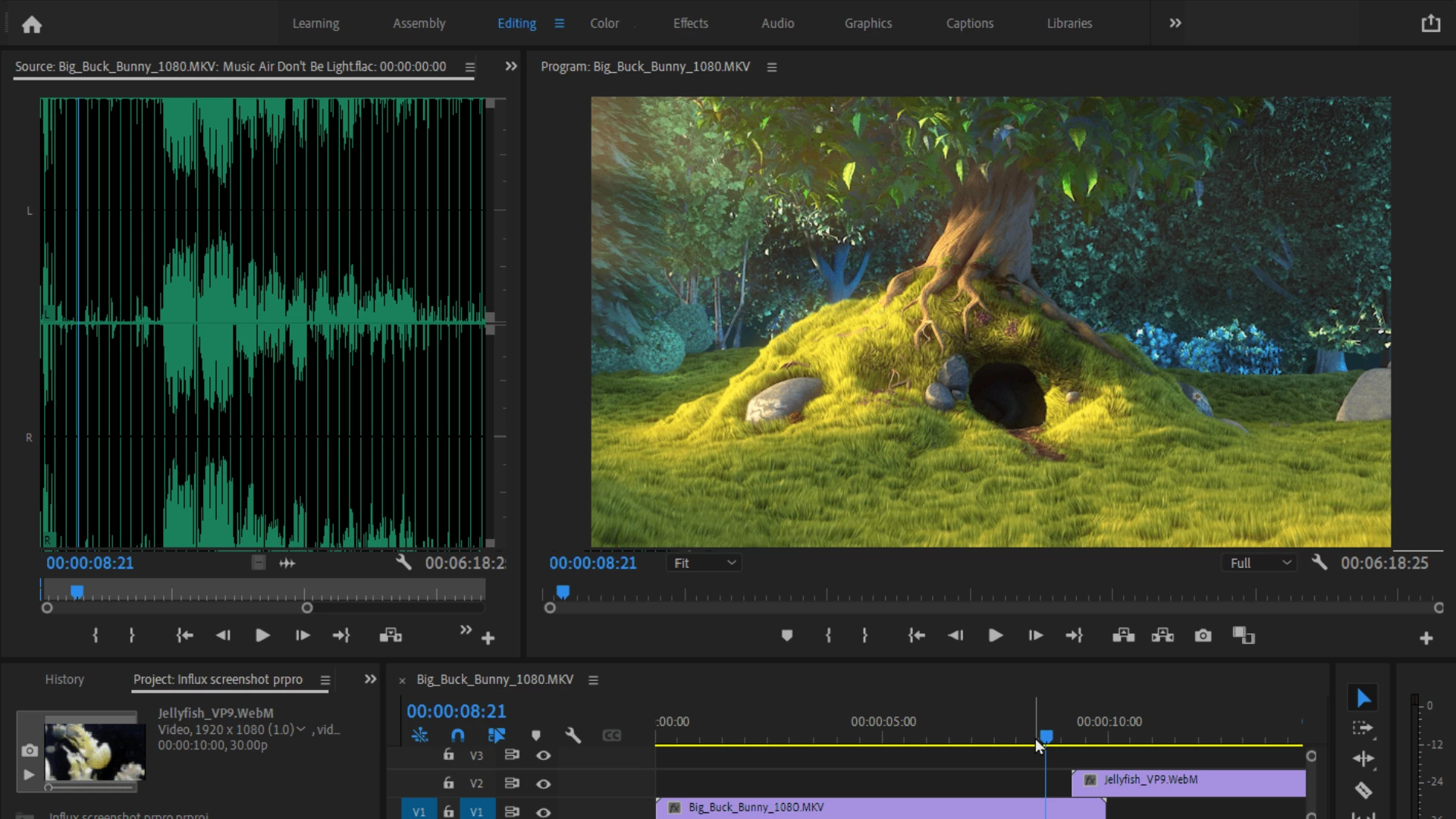
Description
Influx allows you to directly import all kinds of audio and video files into Premiere Pro, Media Encoder, After Effects, and Audition on your Mac.
Features:
Native import directly into Adobe CC Video applications:
-No more need to use external transcoding software! This influx plugin saves your valuable time, disk space, and frustration when working on macOS
-Import and edit footage seamlessly in Premiere Pro
-Process your recorded footage directly inside After Effects.
-Export your PrPro and AEfx projects to Media Encoder, and also transcode files straight from AME without any extra steps.
-Edit audio directly in Adobe Audition. Enjoy new container types, audio formats, and new video codecs without the need for re-encoding or re-multiplexing on your Mac.
Wide range of supported formats and codecs:
Formats: .MKV (Matroska video files, for example files recorded via OBS Studio), .WebM, Flash .FLV, .OGV, Bink .BIK, .AVI, Quicktime .MOV, Windows Media .WMV, .VOB and more.
Video codecs: FFV1, VP8, VP9, Canopus HQ, all common codecs such as H.264, H.265 and others.
Audio codecs: .FLAC, .OPUS, .OGG Vorbis, .MKA, .WMA and more.
With the influx download installed on macOS, you get the identical feature set and consistent results across all supported Adobe versions (from 2019 through 2023), making influx for mac an essential tool for any video professional.
Reviews & Comments
No comments yet. Be the first to share your experience.