
Description
ZENOLOGY Pro is the expandable plug-in version of the ZEN-Core Synthesis System designed for Mac. ZEN-Core is built on discrete synthesizer voices, each featuring a flexible oscillator, filter, amplifier, two LFOs, and dedicated effects. It blends multiple synthesis types, combining classic Roland oscillators and filters with PCM waves capable of oscillator sync and cross modulation. Stack up to four voices within a single tone to produce rich, complex sounds spanning both classic and contemporary aesthetics.
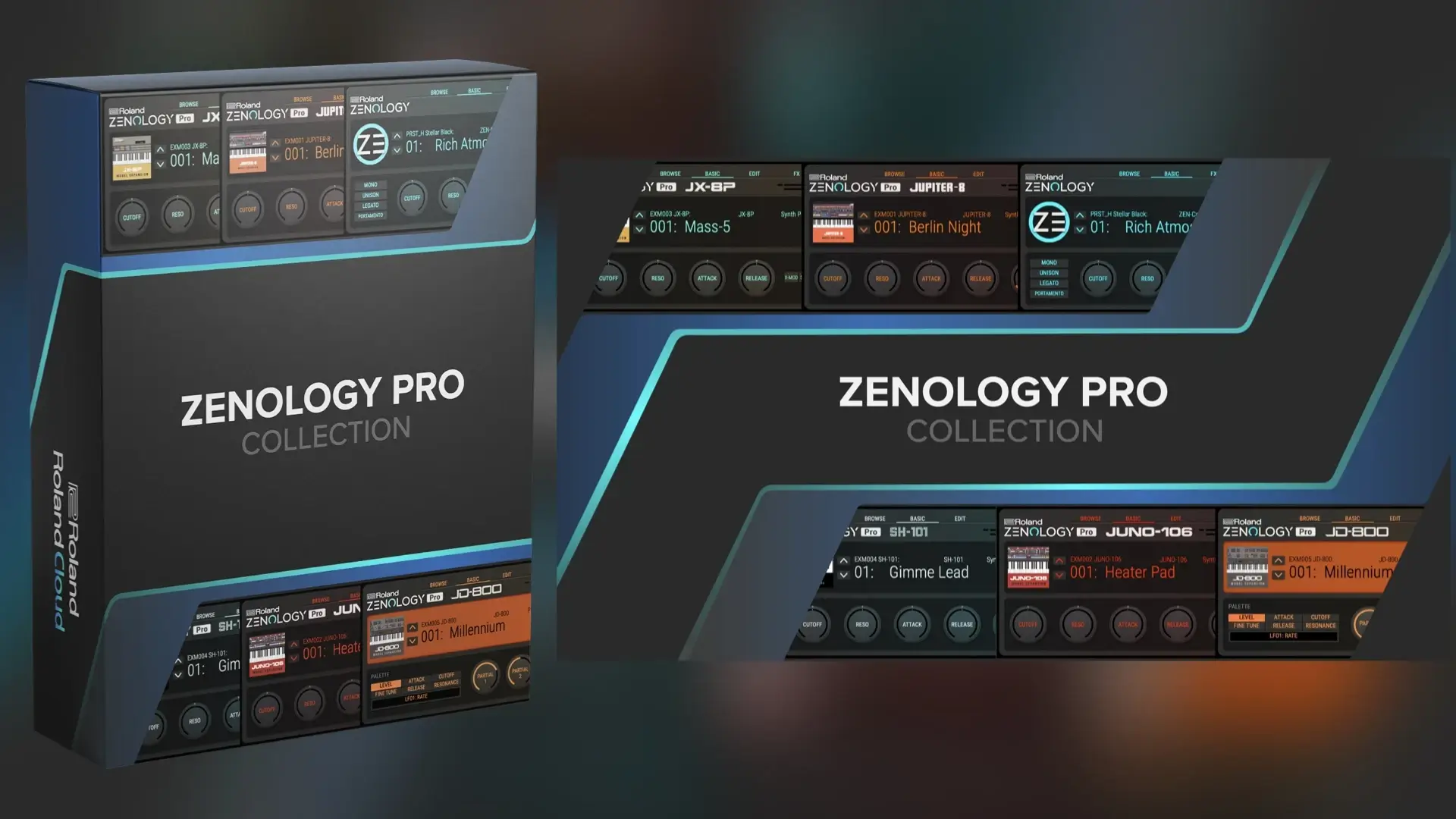
ZEN-Core is the most advanced sound engine available, powering professional synthesizers such as JUPITER-X and FANTOM. With the roland cloud zenology pro collection, you receive the flagship plugin along with five model expansions that faithfully recreate iconic Roland instruments right on your Mac.
Hardcore ZEN-Core. For decades, Roland sounds have exerted a tremendous influence on music worldwide. Legendary Roland instruments defined genres like techno, house, rap, trap, and hip-hop, while leaving a profound mark on pop, rock, and film scoring. The culmination of this long and storied heritage is the ZEN-Core Synthesis System and ZENOLOGY Pro.
Legendary Sounds at Your Fingertips. The model expansions capture the essence of their vintage counterparts with astonishing realism and authenticity. With expanded polyphony and a bold, modern interface, they deliver the unique sound and feel of the original hardware — without the cost, maintenance, or space requirements that come with vintage gear ownership.
Built for Speed. The model expansions are engineered for speed and performance in modern music production workflows. Hosted within ZENOLOGY on your Mac, they take full advantage of the plugin's intuitive interface, efficient CPU usage, touch-friendly controls, and effortless resizing capabilities. You can instantly swap between model expansions and load sounds without ever interrupting your creative flow or losing momentum.
Five Model Expansions:
JUNO-106. Introduced in 1984 as an affordable polyphonic synthesizer for the masses, the JUNO-106 rose from humble beginnings to become a worldwide favorite among synthesizer enthusiasts and professional producers alike. It delivers piercing basses, delicate plucked tones, and shimmering pads that sit perfectly in any mix, and its built-in chorus effect is the stuff of absolute legend.
JUPITER-8. Released in 1981, the JUPITER-8 stands as one of the most revered synthesizers of all time. Its lush, complex sound graces more hit records than you could possibly count, and its massive analog voice is simply unmatched when it comes to warm pads, sweeping strings, and soaring lead tones that cut through any arrangement.
SH-101. Since its release in 1982, the small but mighty SH-101 has been a key element in shaping electronic music as we know it. Originally designed for beginners, it quickly earned the admiration of serious musicians and producers thanks to its straightforward interface and stunning sonic capabilities. With the SH-101 model expansion, the monophonic SH-101 is reborn as a polyphonic synthesizer, unlocking exciting new creative possibilities on your Mac.
JD-800. By the early 1990s, digital synthesizers with preset-heavy architectures and limited hands-on control dominated the market. The JD-800 changed everything in 1991, bringing the synthesizer world back to its roots with a massive control panel and an aggressive electronic sound palette. Combining the original JD-800 waveforms with cutting-edge modeling techniques, the JD-800 model expansion brings the brilliant tone and monstrous sound-shaping potential of this vintage digital icon into the modern production workflow.
JX-8P. Released in 1985, the innovative JX-8P pushed analog technology a step further by offering tone generation capabilities typically associated with digital synthesizers, making it remarkably versatile. With the JX-8P model expansion, the unique voice of this sought-after classic is reintroduced for the very first time. Also included are the hands-on editing functions of the companion PG-800 programmer, carefully and thoughtfully integrated into the user interface for seamless control.
Software. Hardware. Anywhere. The model expansions run in your DAW via ZENOLOGY on Mac and also enhance compatible ZEN-Core hardware instruments such as JUPITER-X, FANTOM, and more. So whether you are in the studio, on stage, or on the go, your favorite sounds are always ready whenever inspiration strikes. The roland cloud zenology pro collection for mac ensures a seamless experience across all your creative environments.
Key Features: • ZEN-Core Synthesis System plugin for Mac with full native compatibility • Over 4,000 tones and 200 drum kits, easily expandable to more than 10,000 total variations • Compatible with sound packs and wave expansions available through Roland Cloud • Advanced tone browser for exploring sounds, tagging favorites, and creating custom banks on your Mac • Powerful synthesizer architecture featuring up to four partials per tone, each with a flexible oscillator, filter, amplifier, two LFOs, and EQ • Multi-layered synthesis types including advanced virtual analog and modern PCM • Four oscillators with nine virtual analog waveforms, Supersaw, noise, PCM, and PCM SYNC • Includes 1,840 PCM waveforms, easily expandable to over 7,000 with additional content • Ten filter types including JUPITER and other iconic Roland models • Eleven LFO shapes including tempo-synced Step LFO with 37 curves per step for intricate modulation • Over 90 lush Roland effects including pristine reverb, JUNO-106 and CE-1 chorus, SDD-320 Dimension D, and DJ-FX Looper • Modern resizable user interface for a smooth workflow in any production environment on Mac • The roland cloud zenology pro collection plugin lets you edit and share sounds between ZENOLOGY Pro and ZEN-Core hardware instruments such as FANTOM, JUPITER-X, JUNO-X, RD-88, MC-101, MC-707, and others • Get the roland cloud zenology pro collection for download and bring decades of legendary Roland synthesis directly into your Mac-based music production setup
Reviews & Comments
No comments yet. Be the first to share your experience.