

Description
Apple has released the final version of OS X Yosemite. First unveiled at the WWDC 2014 conference, this new desktop operating system for Mac represents the most significant update to OS X in recent years. Yosemite continues the direction that was established with the launch of last year's OS X Mavericks, offering users an even cleaner design and even more features inspired by iOS. While Mavericks introduced familiar iOS applications such as Maps and iBooks, this time Apple promises that both systems have been designed for the most seamless collaborative experience possible between Mac and mobile devices.
The flat design language, translucent panels, and the move away from gradients and textures first seen in iOS 7 are clearly reflected in OS X 10.10 as well, making the desktop platform look considerably more modern and refined. Application icons have received a new minimalistic and flatter design approach, while the application dock and windows now feature sharper, more defined edges and cleaner visual lines throughout the entire interface.
The Notification Center has been expanded with a new "Today View" mode for calendar events, reminders, weather forecasts, stocks, social networks, and much more — Apple notes that functionality will be further extended through third-party widgets that users can download from the App Store. The universal search tool Spotlight has become one of the most essential instruments in the operating system — it now appears prominently in the foreground at the center of the Desktop, making it easier than ever to find files and information on your Mac.
One of the most substantial changes is the new iCloud Drive service, which allows users to access all files stored in their iCloud account directly through the Finder file browser. Users can browse their cloud-stored files, organize them into folders, assign tags, and search using Spotlight — just like any other file types on their Mac. All iCloud Drive files will synchronize seamlessly between OS X, iOS, and even Windows, ensuring your documents are always available wherever you need them. If you are considering a mac os x yosemite download, this cloud integration alone makes the upgrade worthwhile.
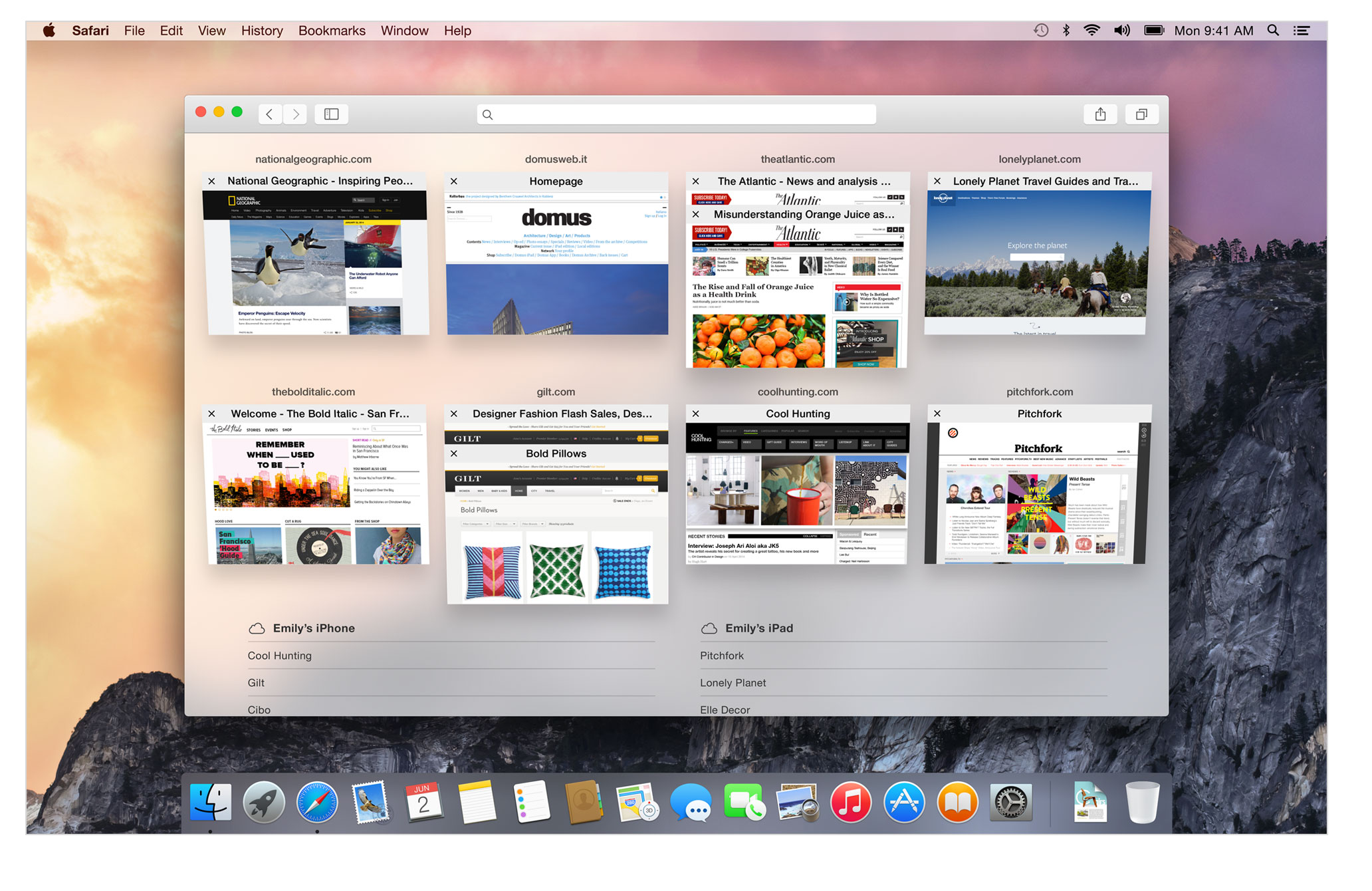
The Safari browser has undergone a substantial redesign, featuring a cleaner, more intuitive design and improved search integration for Mac users. Apple states that the browser now executes JavaScript code faster than any other browser available on the market — on standard websites the performance difference compared to Firefox can be as much as sixfold, and compared to Chrome it can be approximately fivefold. Apple has also expanded Safari's support for modern web standards, including WebGL, SPDY, and HTML5, ensuring a better browsing experience. For those looking for an os x yosemite download, the enhanced Safari performance is a compelling reason to make the transition.
Support for AirDrop between OS X and iOS has been implemented — users can now exchange images and other data between their mobile devices and desktop Mac systems without the need for any cables or wires. Finally, the Handoff technology provides the ability to start working on a Mac and finish on an iPhone or iPad, and vice versa, creating a truly unified ecosystem. With mac os x yosemite, Apple has delivered a cohesive platform that bridges the gap between desktop and mobile computing in a remarkably intuitive way.
Reviews & Comments
No comments yet. Be the first to share your experience.