

Description
Path Finder is one of the best file managers available, featuring a meticulously designed interface with every detail carefully thought out: tabbed browsing, document preview and audio/video file playback, process management, archive handling, application installation and removal, the ability to customize system keyboard shortcuts, conversion of CD/DVD/Blu-Ray disc images, dual-pane mode, and much, much more.
This path finder app serves as a powerful replacement for the default Finder, offering its users a rich set of features including full keyboard navigation, a built-in FTP client, tabbed browsing, individual folder view customization, convenient search functionality, and flexible file selection options on your Mac.
The path finder mac interface looks remarkably familiar: the same folders you know from Finder, but enhanced with Safari-style tabs and a greater number of functional buttons. Navigation works just like it does in Finder, yet you can also take advantage of additional navigation elements such as tabs and bookmarks. Path Finder has incorporated the best elements of a browser, so if you have previously used Finder and Safari, you will feel right at home with this application.
Tabs are arguably the best graphical element in any application, and this file manager is certainly no exception. The tabs in this path finder mac os application are extremely convenient to use. Not only can you always see which folders are currently open and switch between them effortlessly, but you can also easily drag and drop files between tabs for quick file organization.
Another excellent feature is tab sets, which essentially function as separate customizable workspaces tailored to your needs. This is incredibly handy, for example, when you are working on a specific project and need quick access to all the relevant folders, applications, and downloads at once. Tab sets remember and preserve the folders that were open during your last session so you can resume work instantly.
Drop Stack
This is a temporary storage area where files can reside while you are in the process of moving them. It greatly simplifies the process of relocating files to new directories, for instance, when you are cleaning out your downloads folder and organizing files into their proper locations.
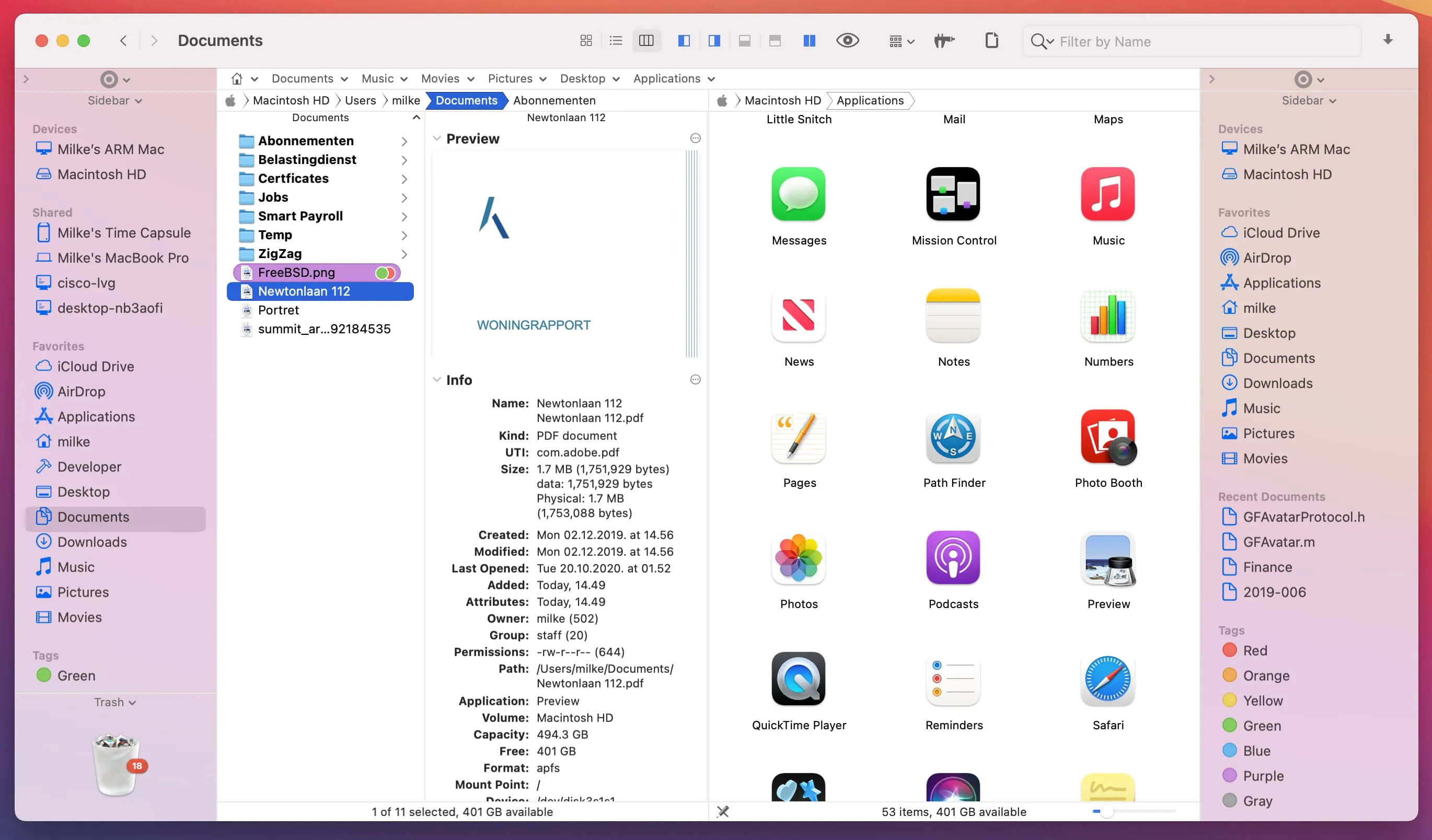
The dual-pane browser view mode in Path Finder splits the window in half so that you can see two folders simultaneously on your screen. This is extremely useful when comparing the contents of different folders or moving files between directories. Each pane operates as an independent file browser with its own navigation. You can switch to this viewing mode by clicking the dedicated icon located at the bottom left of the window.
Path Finder dual pane view
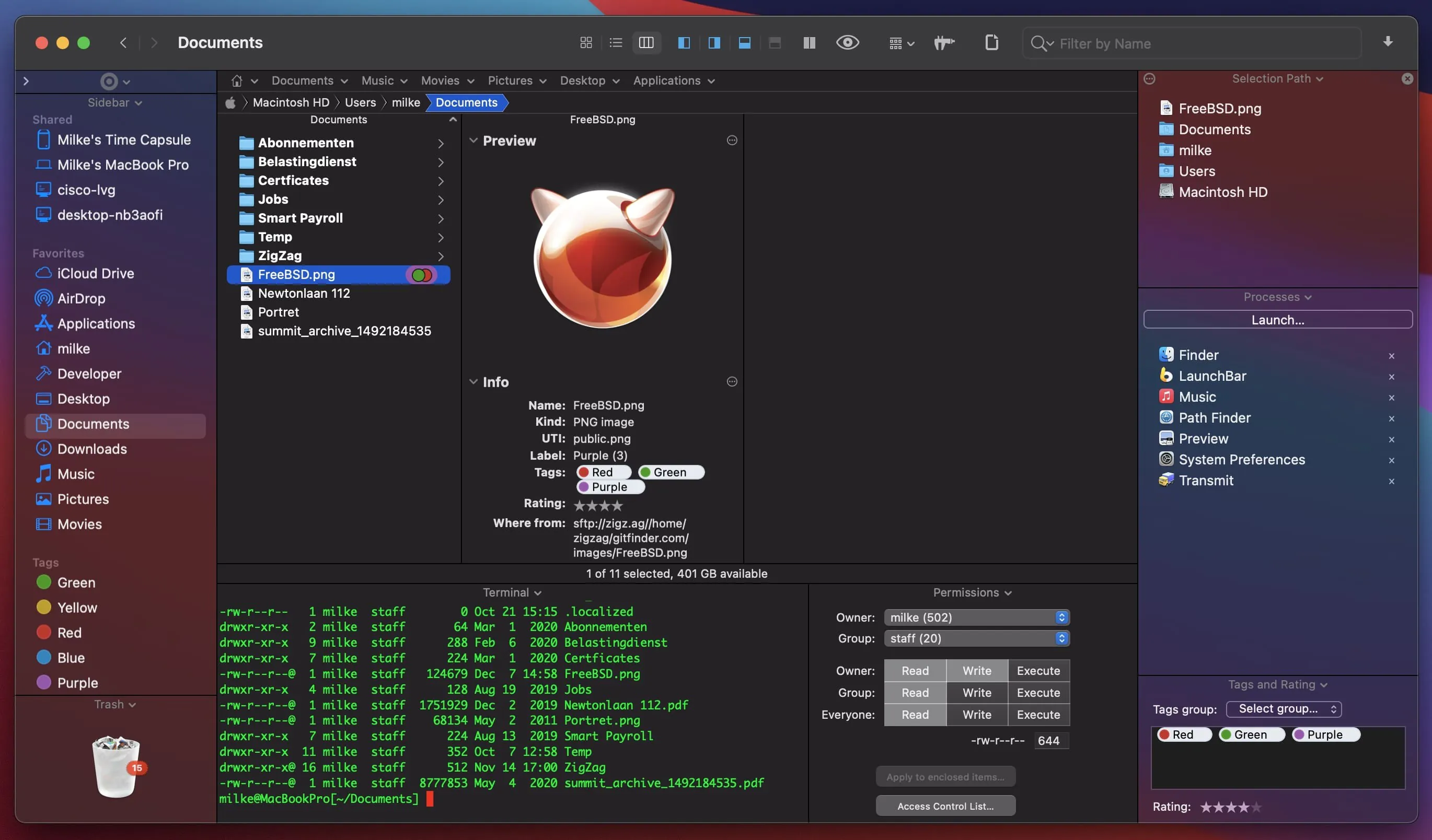
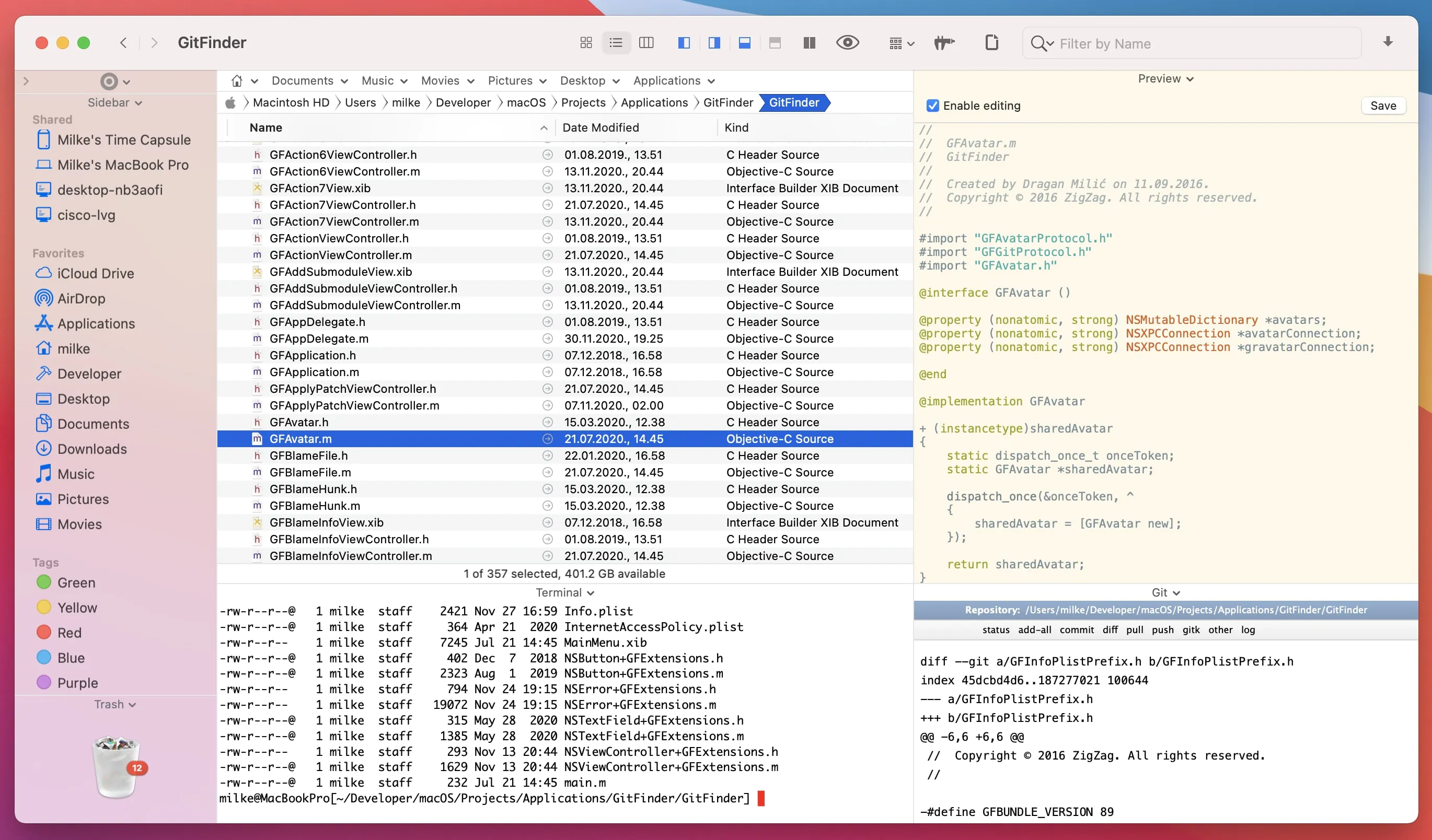
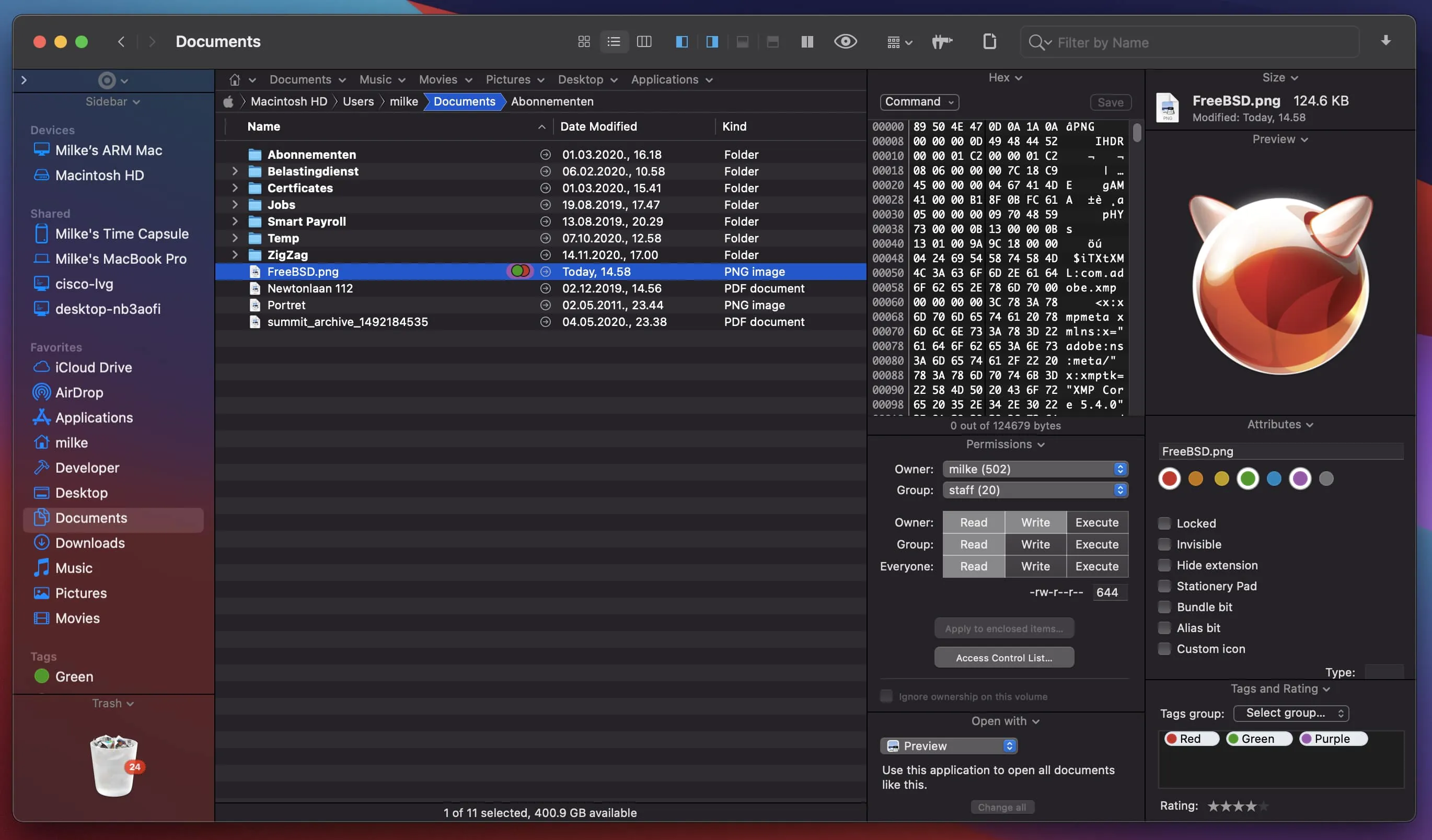
View toggles and sections allow you to display additional information within the browser window. By selecting the view toggle icon, the lower part of the screen splits in half and displays customizable information about the currently selected files. Sections perform a similar function, except the file data appears on the left side, right side, or at the bottom of the browser panel.
Path Finder modules
This path finder mac application provides the ability to filter files by keywords, file extension, or file type using the search box in the upper right corner. If you want to select files based on a specific set of parameters, click the search icon on the toolbar in the upper right corner, type your search term, and press the "+" button to add additional search parameters and refine your results.
Utilities
Path Finder includes a range of additional built-in tools for performing various tasks, so you will not need to launch separate programs. Among the utilities included in this powerful file manager for Mac are: a text editor, a simple image editor, an application launcher module, and a file archiver for compressing and extracting archives.
Reviews & Comments
No comments yet. Be the first to share your experience.